Your notes can do a lot more
Everything you love about Capacities, plus AI, smart queries, calendar integration, and the tools to take your knowledge work to the next level.
Free trial available. No credit card required
You've built your knowledge base. Now supercharge it.
You've experienced the clarity of object-based thinking. You've felt the magic of connections surfacing automatically. You've built something valuable.
Pro gives you the tools to do more with it.
Ask your notes questions. Let AI fill in the details. See your calendar and notes in one view. Create dynamic queries that find exactly what you need.
Same simplicity. More power.
"Going Pro was a great decision. This app just keeps getting better and better."
Finally, AI that's actually useful
Not a generic chatbot. An AI that knows your notes, your objects, your context.
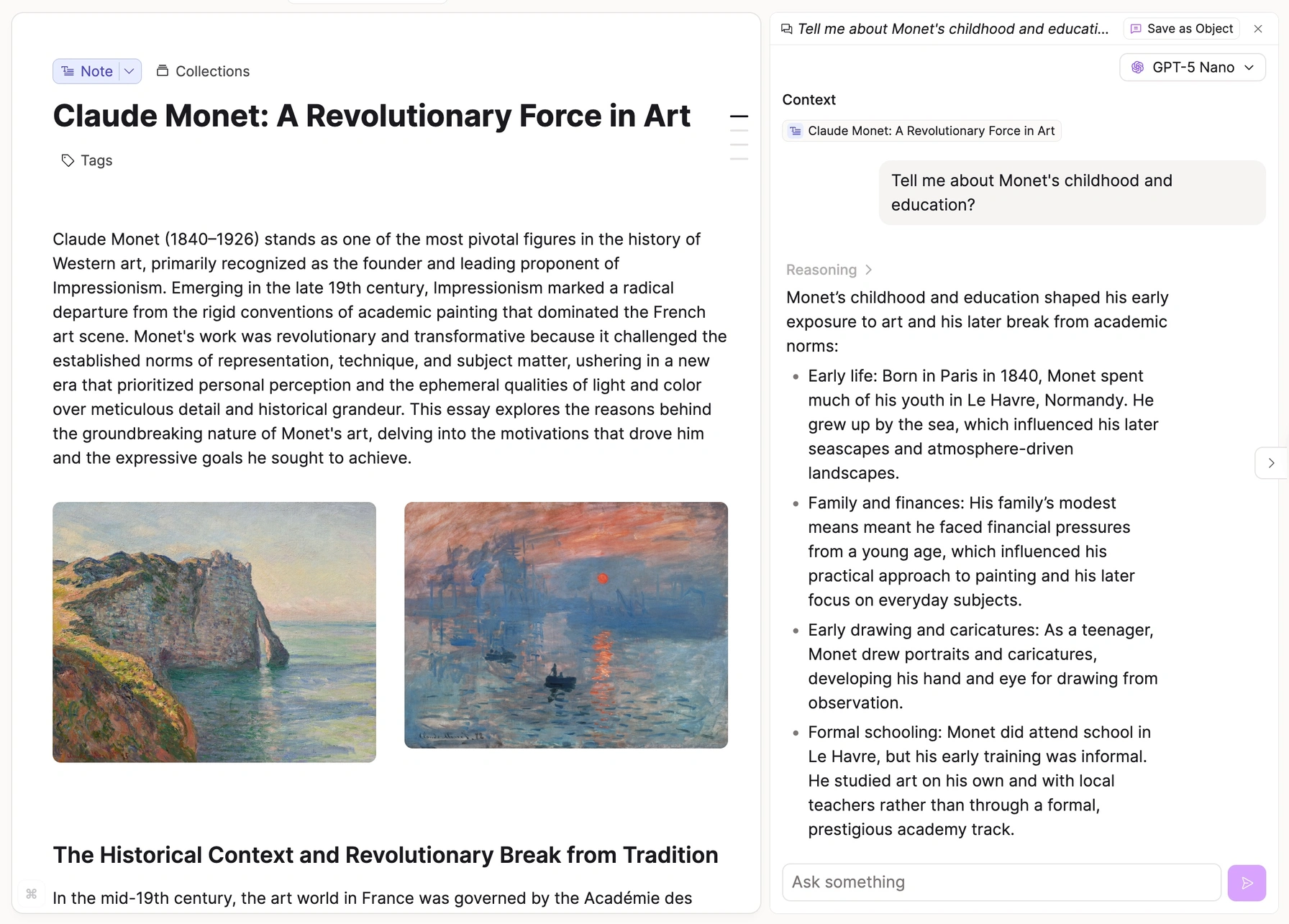
Chat with any note
Open a note and have a conversation about it. Ask questions, get summaries, explore ideas—AI responds based on what's actually in that note.
Auto-fill anything
Create a book object → AI fills in author, genre, publication year, summary, key themes. Create a movie → director, cast, runtime, synopsis. Automatic.
Smart commands
Summarize long notes. Translate to any language. Critique your writing. Continue your thoughts. All contextual, all grounded in your notes.
Contextual suggestions
AI suggests tags, collections, and properties based on your content. You approve or ignore. Your knowledge base organizes itself.
"I created a Movies object and I'm able to use AI to auto-populate details like budget and genres and even create links to IMDb. Absolutely insane product."
Your knowledge, organized automatically
Stop manually organizing. Let queries do the work.
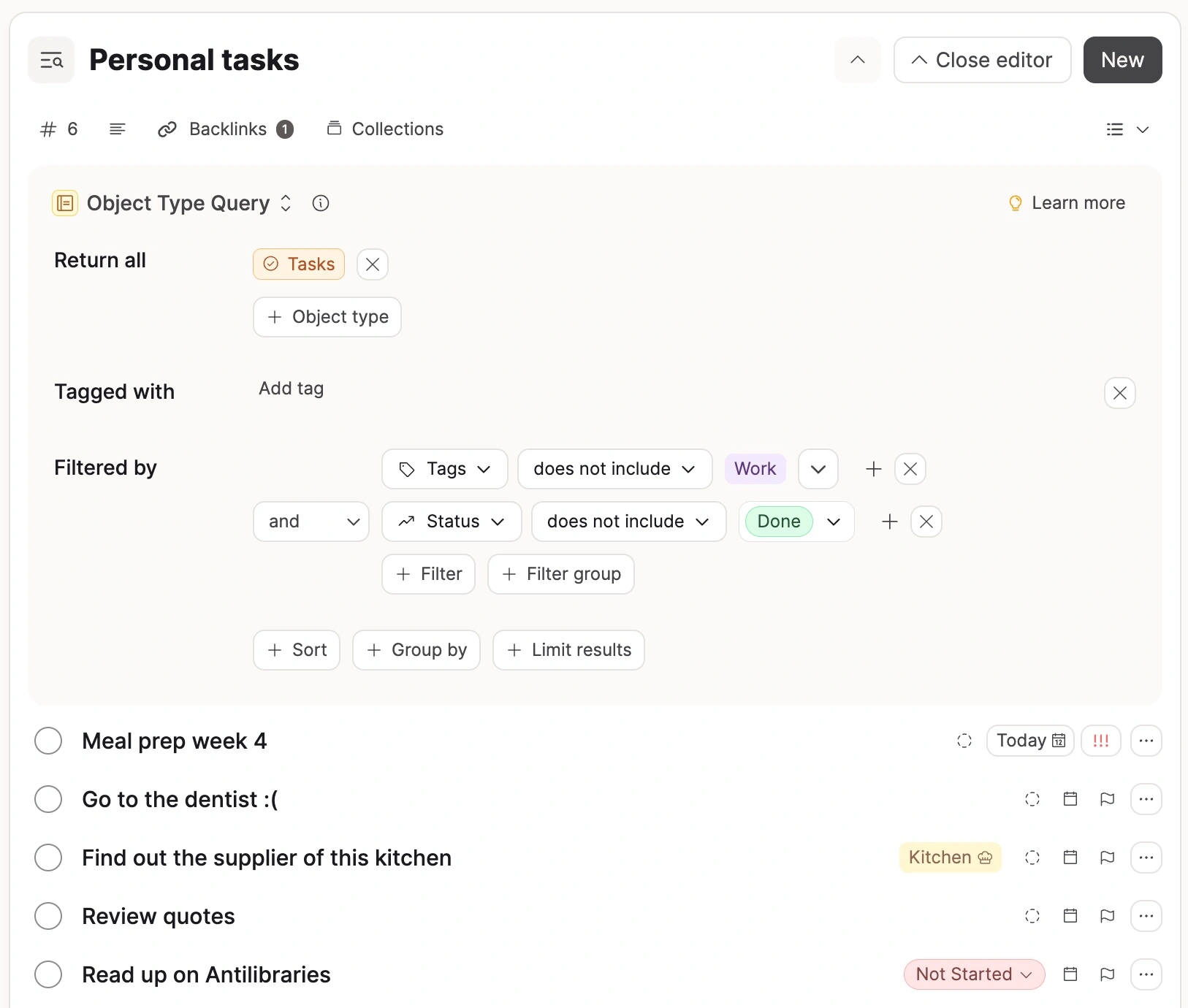
Dynamic views
Create a query once: "All books I rated 4+ stars" or "Tasks due this week" or "Notes from meetings with [Person]." It stays current forever.
Combine any conditions
Date created + tags + properties + collections. "Show me articles tagged 'AI' from the last 3 months that I haven't finished reading."
Embed anywhere
Put query results in any page. Build a "This Week" dashboard, a "Reading List" page, a "Project Status" overview. They update automatically.
Variable queries
Queries that change based on what you're looking at. Open a person? See all your notes with them. Open a project? See all related tasks.
"Queries is the fundamental piece I was waiting for since becoming a Believer. Extremely well implemented, easy to work with."
Your day, in context
Meetings aren't separate from notes. They're connected.
See your schedule
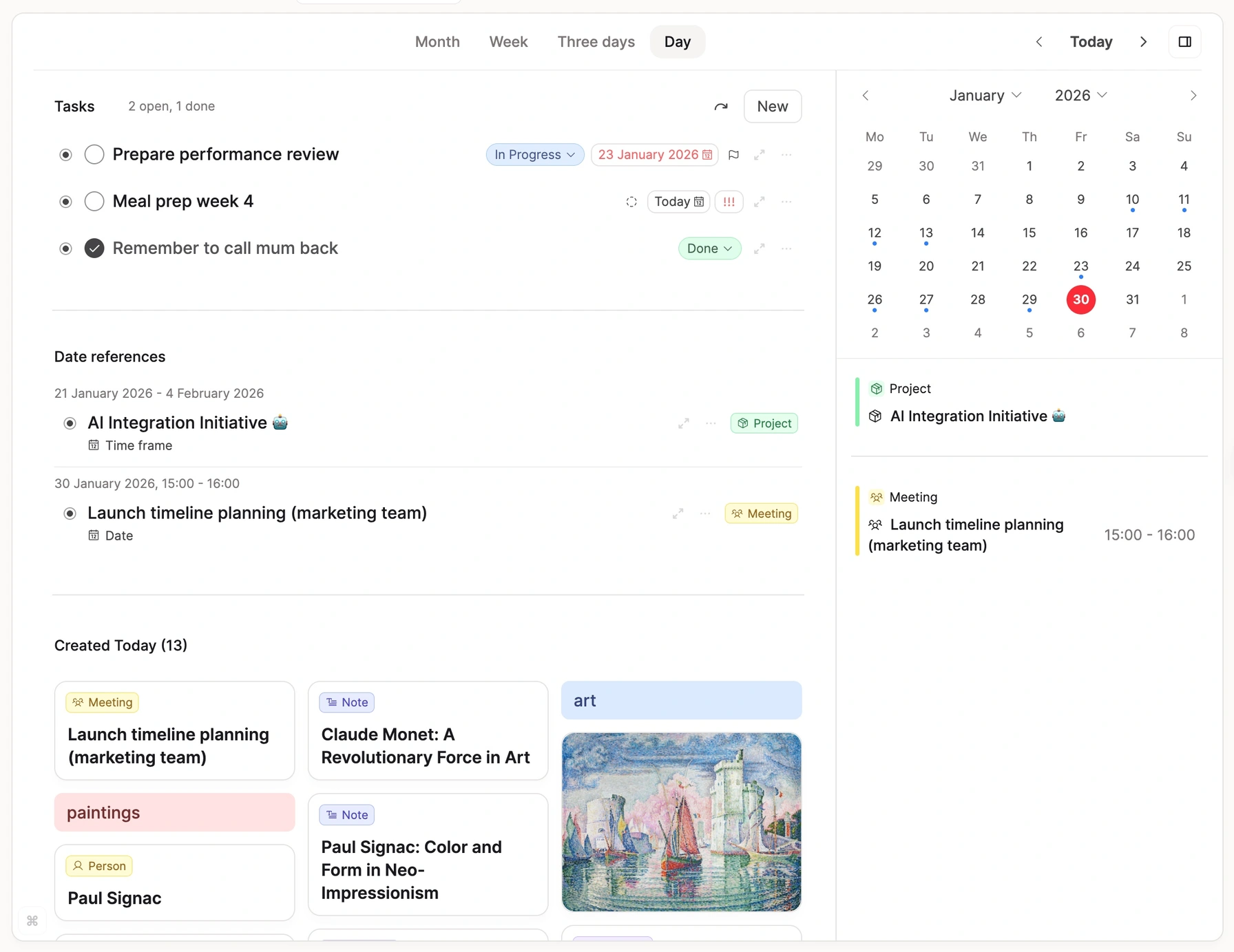
Connect Google, Microsoft, Apple Calendar, or CalDAV. Events appear alongside your daily notes and tasks.
Auto-create meeting objects
Calendar events automatically become objects. Link attendees, agendas, action items, and follow-ups.
Meeting context
Before any meeting, see all related notes, previous meetings with these people, relevant projects, and open tasks.
Timeline integration
Calendar events appear in your daily note timeline. Your day tells a story.
"The calendar integration is a game changer. Brilliantly done—hugely capable, not invasive. Exactly the way I wanted it done."
Tasks that live where your work lives
No more juggling between apps. Tasks embedded in context, surfaced when you need them.
Create from anywhere
Inside a note, from the command palette, on mobile—tasks appear instantly. Link them to projects, people, or any object.
Zero setup required
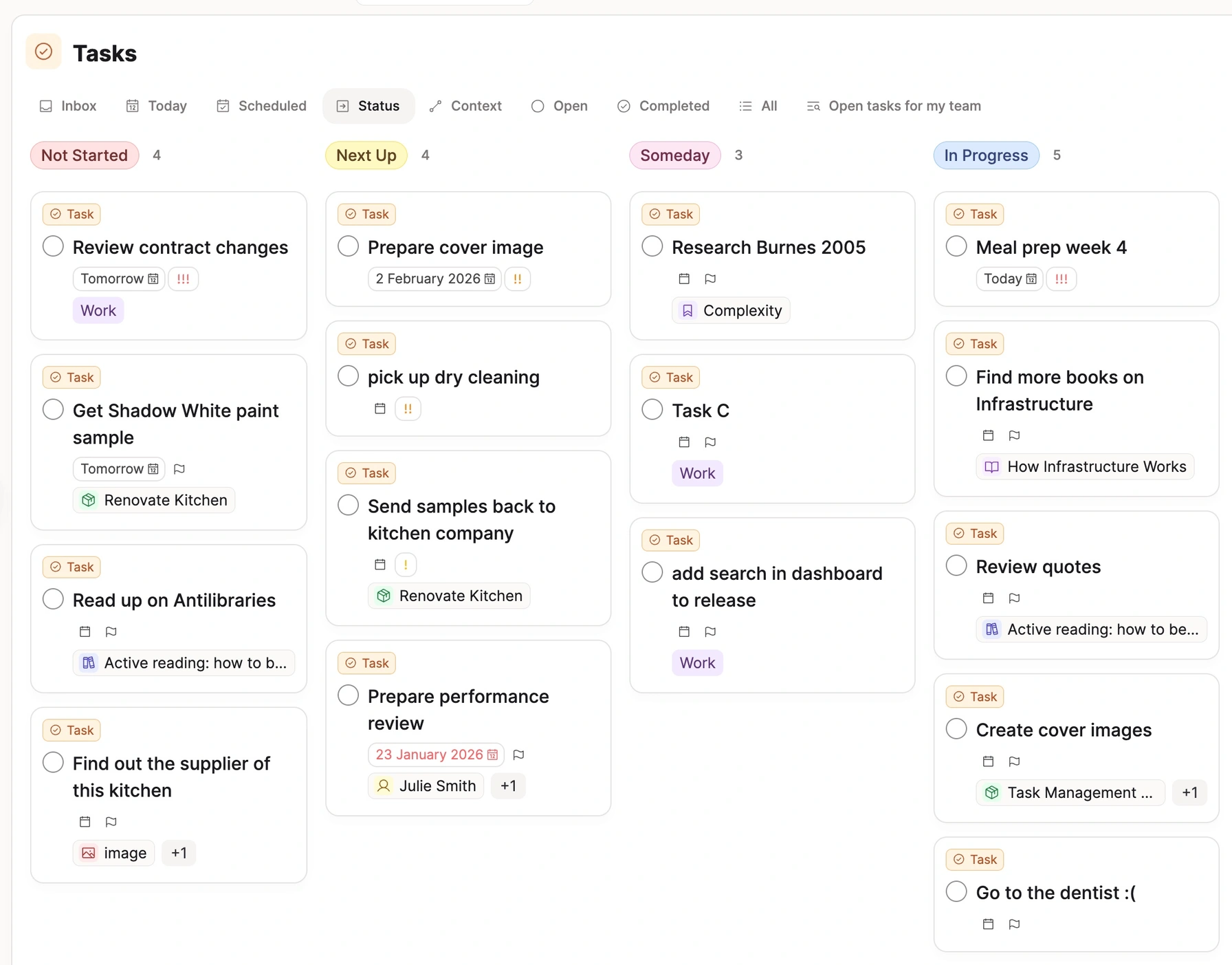
No configuration, no workflows to build. Built-in views for Inbox, Today, Scheduled, Open, and Completed. Deadlines, recurring tasks, and Kanban boards that organize themselves.
Context that follows you
Open a project? See its tasks. Open a person? See tasks involving them. Tasks appear exactly where they make sense—automatically.
See tasks in your daily flow
Tasks appear right when you need them—in your calendar view alongside your daily notes. Today shows what's due without overwhelming you. Plan your day in one place.
"Started using this today and its one of the most intuitive implementations of tasks with notes around."
Your highlights, ready to think with
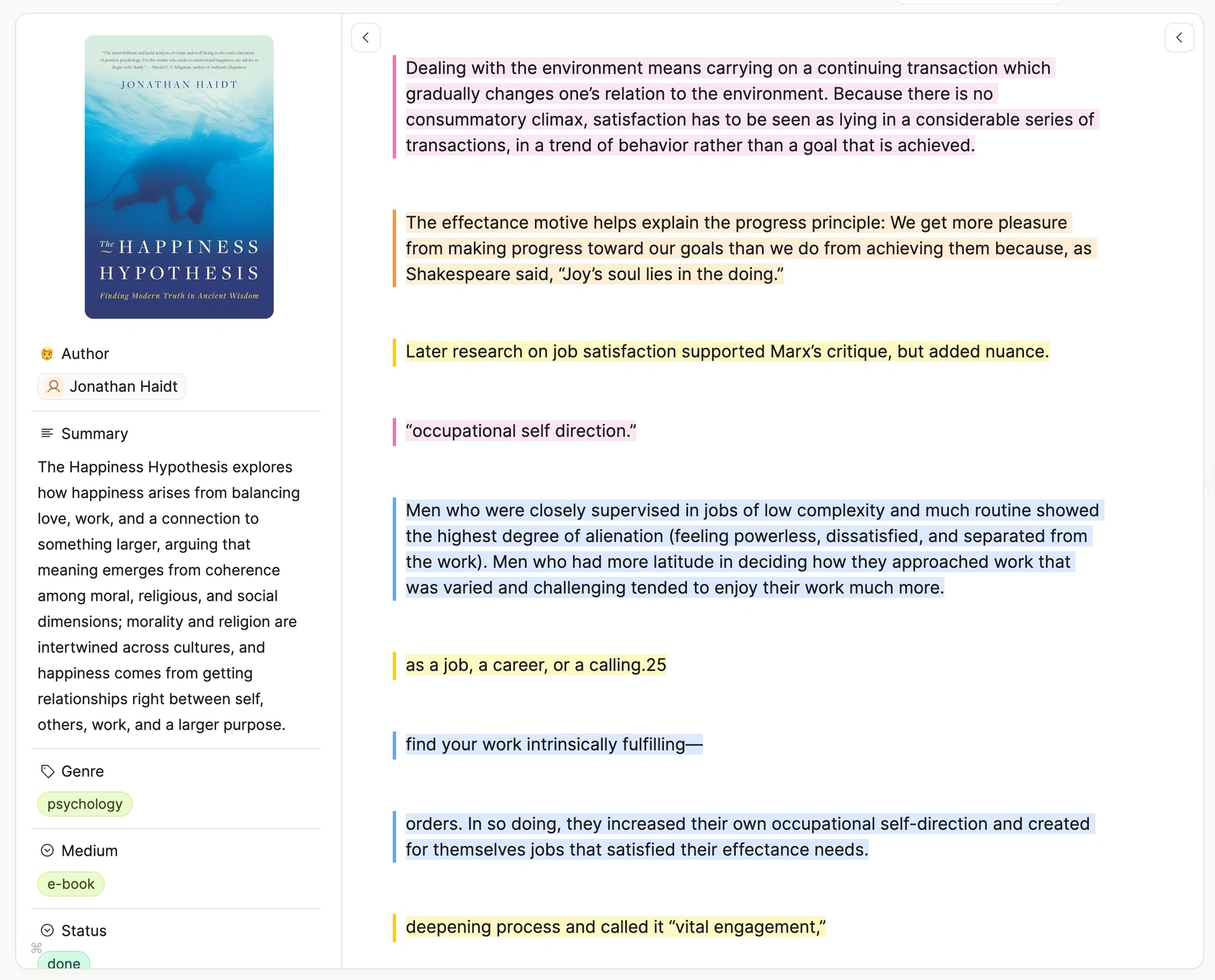
Bring your reading into your knowledge base. Readwise, Kindle, or both—highlights become connected notes you can build on.
Readwise & Reader sync
Selectively import documents from Readwise or Reader. Choose what to bring in—no information overload. Highlights stay synced as you add more.
Direct Kindle import
Email your Kindle highlights to Capacities. Chapter structure preserved. Highlight colors intact. No extra subscription needed.
Turn highlights into objects
A quote becomes a Quote object. A person mentioned becomes a Person. An idea becomes a Concept. Your highlights become building blocks.
Process, don't hoard
Refine, annotate, and connect your highlights to other notes. The goal isn't to capture everything—it's to create knowledge you can use.
"I love that the new Kindle integration keeps the colors of my highlights!"
And that's just the beginning
Pro includes even more features to supercharge your workflow.
Formulas in tables
Use formulas to calculate values in your tables.
Related content
Helps you find missing connections in your notes.
Smart Search
Instantly surface the most relevant content across your entire knowledge base.
Curated icon set
Get access to a curated set of beautiful and wide-ranging icons.
Public API
Read and write objects, properties, and blocks with a REST API, OAuth, and a TypeScript SDK.
Weblink analysis
Analyze saved pages, read them in-app, and highlight passages with annotations.
Image analysis
Extract searchable text, titles, and metadata from images with one click.
Version History
Preview and restore earlier versions of a page, task, or file.
Raycast integration
Access Capacities from everywhere on your Mac or PC. No context switching.
Unlinked mentions
Helps you find missing connections in your notes.
Worth every penny
Invest in your most valuable asset: your knowledge.
Capacities Pro
Everything you need to think better
- All free features included
- AI Chat & auto-fill properties
- Smart queries
- Calendar integration (Google, Microsoft, Apple, CalDAV)
- Weblink and image analysis
- Version History
- Task actions (Todoist, Things, etc.)
- Priority support
- Early access to features
Free trial available in the app
"This app is worth every penny. Very easy purchase."
— Discord
"Going Pro was a great decision. The features just keep getting better."
"I'm happy to support a team that listens to their customers and uses their feedback to improve the product."
Try Capacities Pro risk-free
No commitment. Start Pro when you're ready—cancel anytime and go back to your previous plan if it's not for you.
Your subscription builds the future
Every Pro subscription funds development. No VC money. No enterprise pivot. Just a small team building the best possible tool for individuals who think for a living.
"I can't believe such a small team can make such a fantastic app and add new features so fast. As a dev I have enormous respect for your whole team."
Ready to go Pro?
Unlock AI, queries, calendar integration, and more. Start your free trial today.