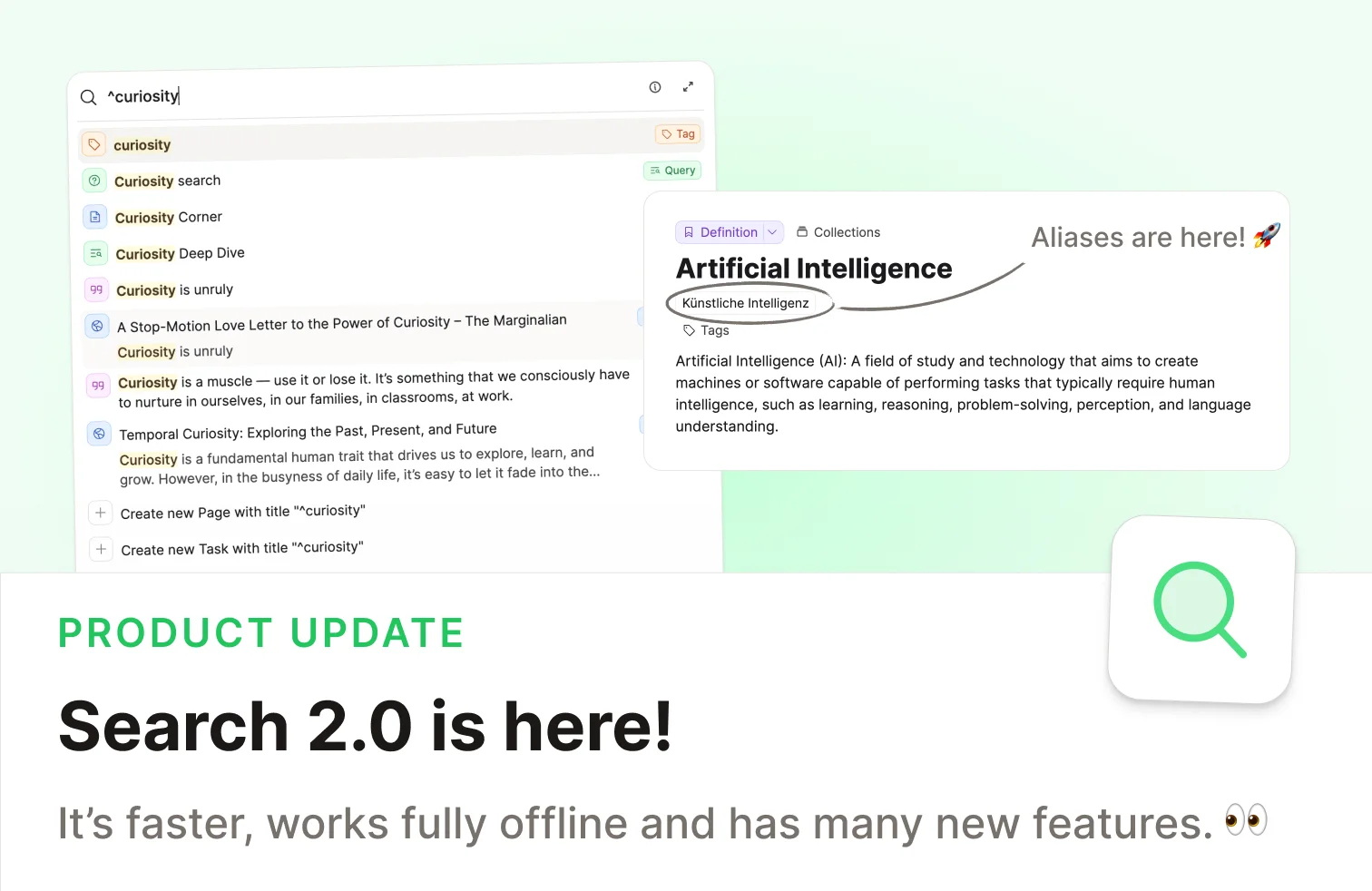
With this update, we've completely rebuilt search from the ground up to be faster, smarter, and work entirely on your device. 🔍 🚀
Check out the video release notes!
Introducing Search 2.0
Based on your feedback, we completely reworked the search engine in Capacities. The result is a search that feels instant, works offline, and delivers more accurate results.
The old search relied on server requests and fuzzy matching, which sometimes returned verbose results and required an internet connection. We wanted something better.
A better search engine
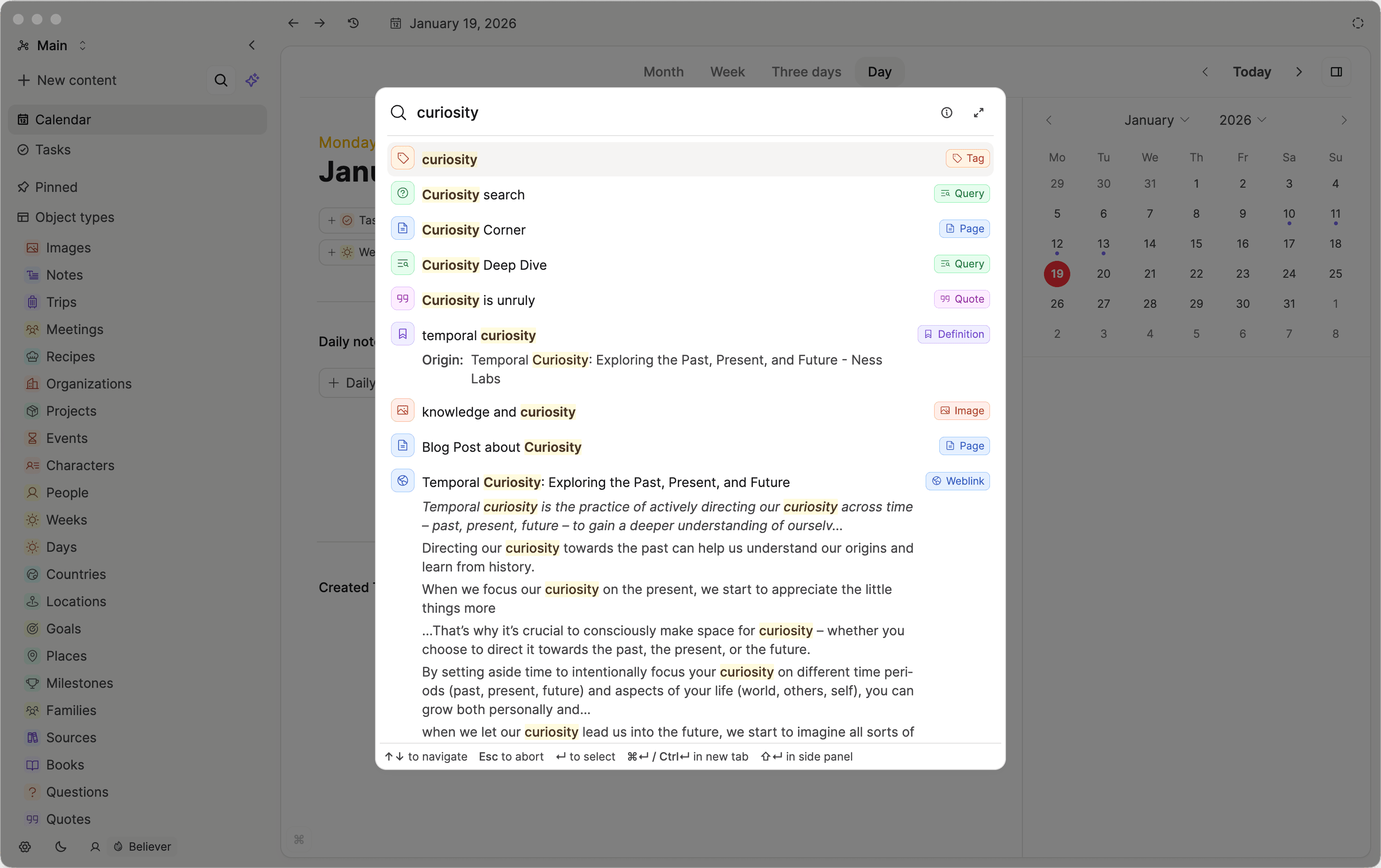
- Better matching: We reworked how content is matched and ranked. The search now returns exact matches instead of fuzzy results, making it easier to find what you're looking for.
- Numbers and symbols: Searching for a price, complex numbers, or symbols now works much better than before.
- Non-logographic languages: The new search engine can handle languages like Chinese, Japanese, Korean, Arabic, and much more. It is not perfect yet but much better than before. Feedback welcome!
- Connected words: Better matching for connected words like "laissez-faire".
Block-linking search
The search engine now also supports block-linking. Simply type (( and start typing for any blocks content in your space.
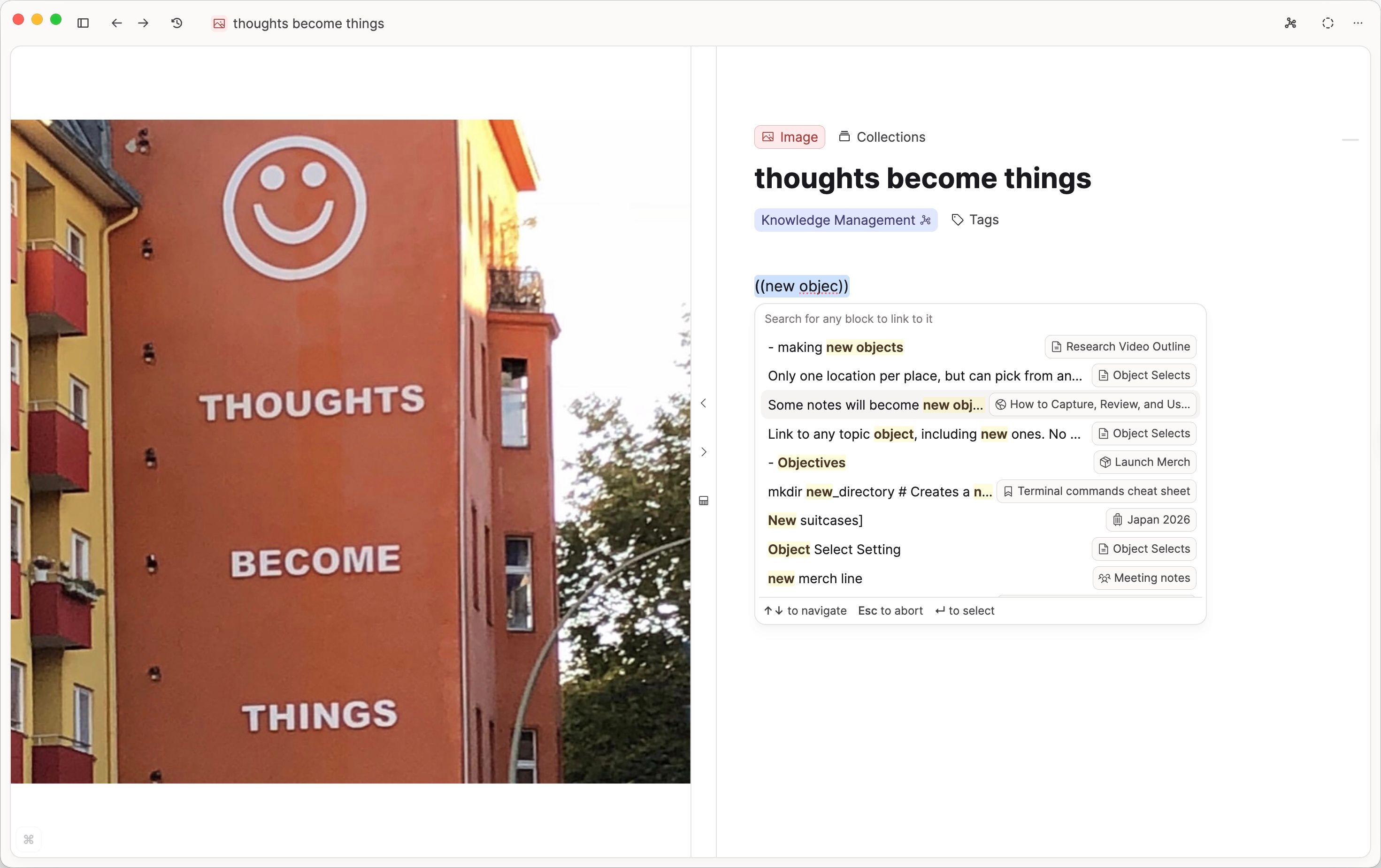
This is the reverse of copying a block link and pasting it. You can now simply search for a block.
New search features
We also added new ways to search your content:
- In-page search for tags: You can now, similar to collections or object types, search within tag pages and you'll get an in-page view of all your search results.
- Exact match search: By using quotes (e.g. "feedback loops") the search engine will only search for matches of the whole term, not the words within it.
- Anchor search: If you start your search with "^" the search will only return objects, properties, or blocks that start with your search term.
- Better search queries with tags: Tags are now first-class citizens in search queries. You now only see block results that are tagged and match your search criteria.
Performance improvements
We've invested heavily in making search feel instant:
- Substantially faster title-based searches for linking, tagging, and the command palette.
- Optimized search performance when using the app for longer sessions.
- Better ranking for titles so the most relevant results appear first.
- Smarter indexing on startup — content will only get indexed if necessary. But you can now also manually reindex your content in the "Offline & Sync" settings if needed.
Breaking changes
- Search queries now do exact matching based on your search term. You can search for a union of search terms by simply adding multiple search terms.
- Command palette does not support filtering for tags anymore.
- Search terms for property name in combination with property value do not work anymore. You can now only search for property values. Although we liked this option, we decided to remove it in favor of more accurate search results.
On top of our new search engine, we're launching more exciting updates with this release:
Aliases
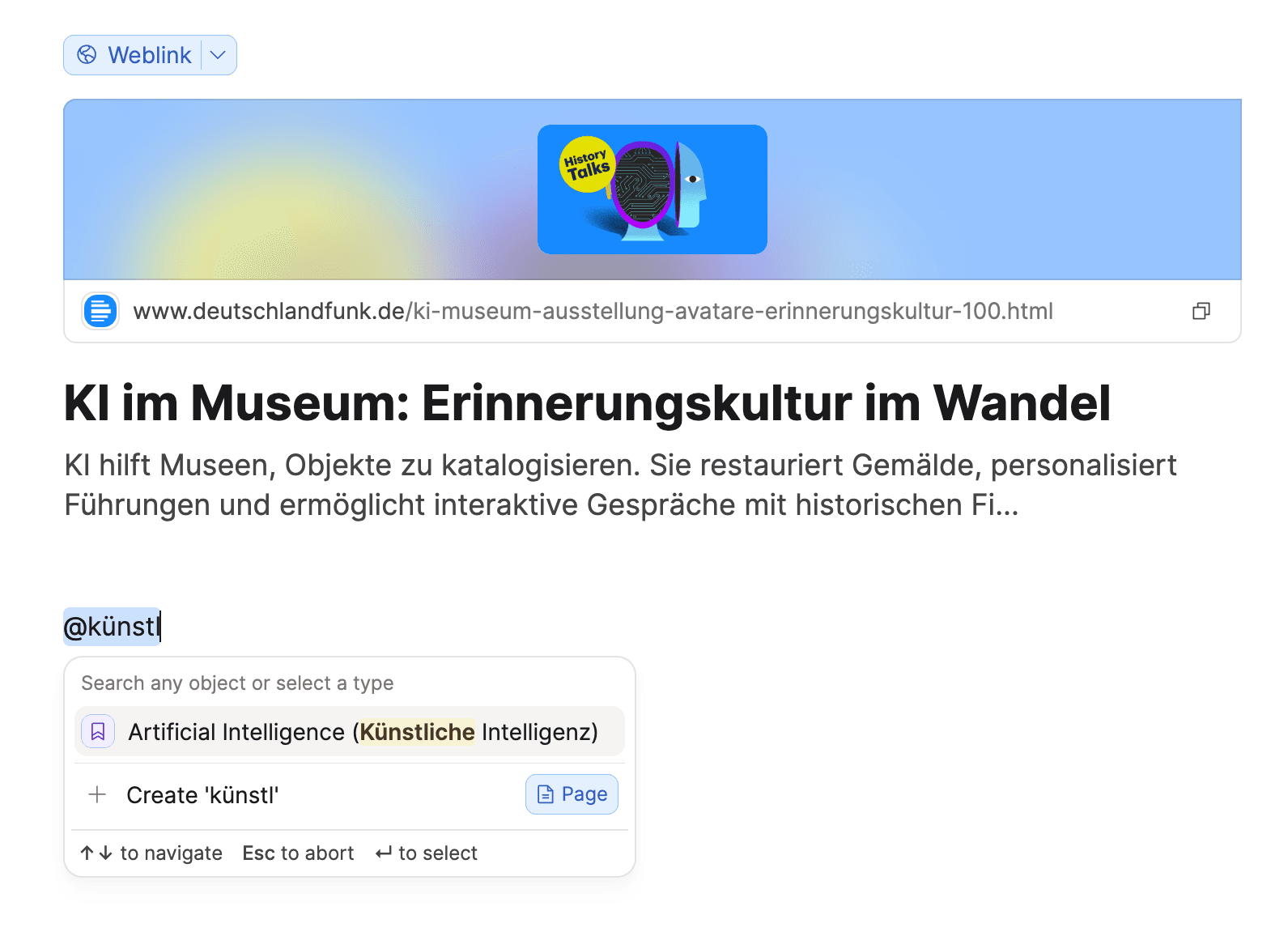
You can now add an aliases property to all of your custom object types. Aliases are alternative names for your content. Add them by hovering over an object's title field.
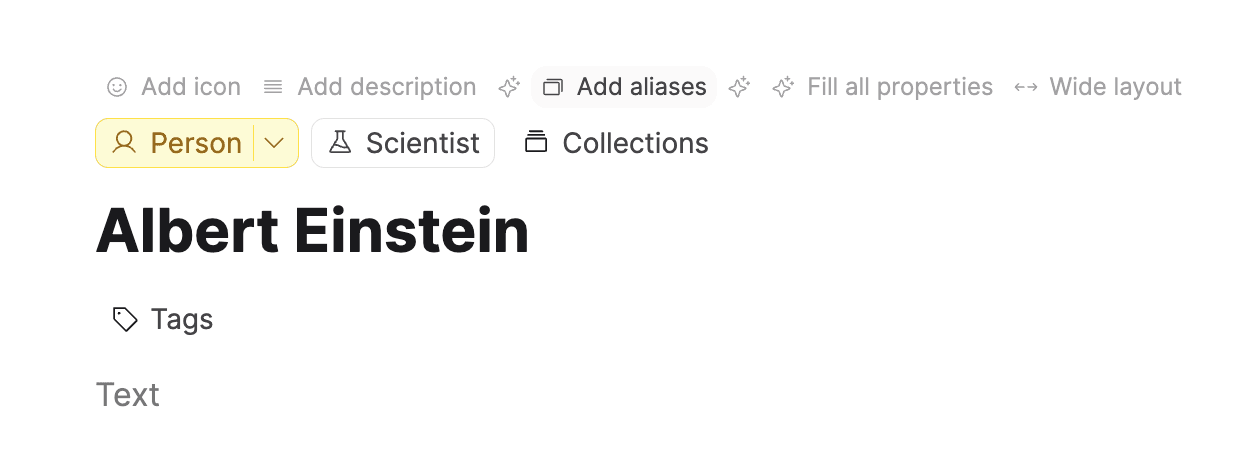
After you add an alias, you can search for it and also reference it when you link to your object.
Mermaid Diagram Support
You can now create beautiful diagrams directly in Capacities! Simply create a code block and select "Mermaid Diagram" as the language.
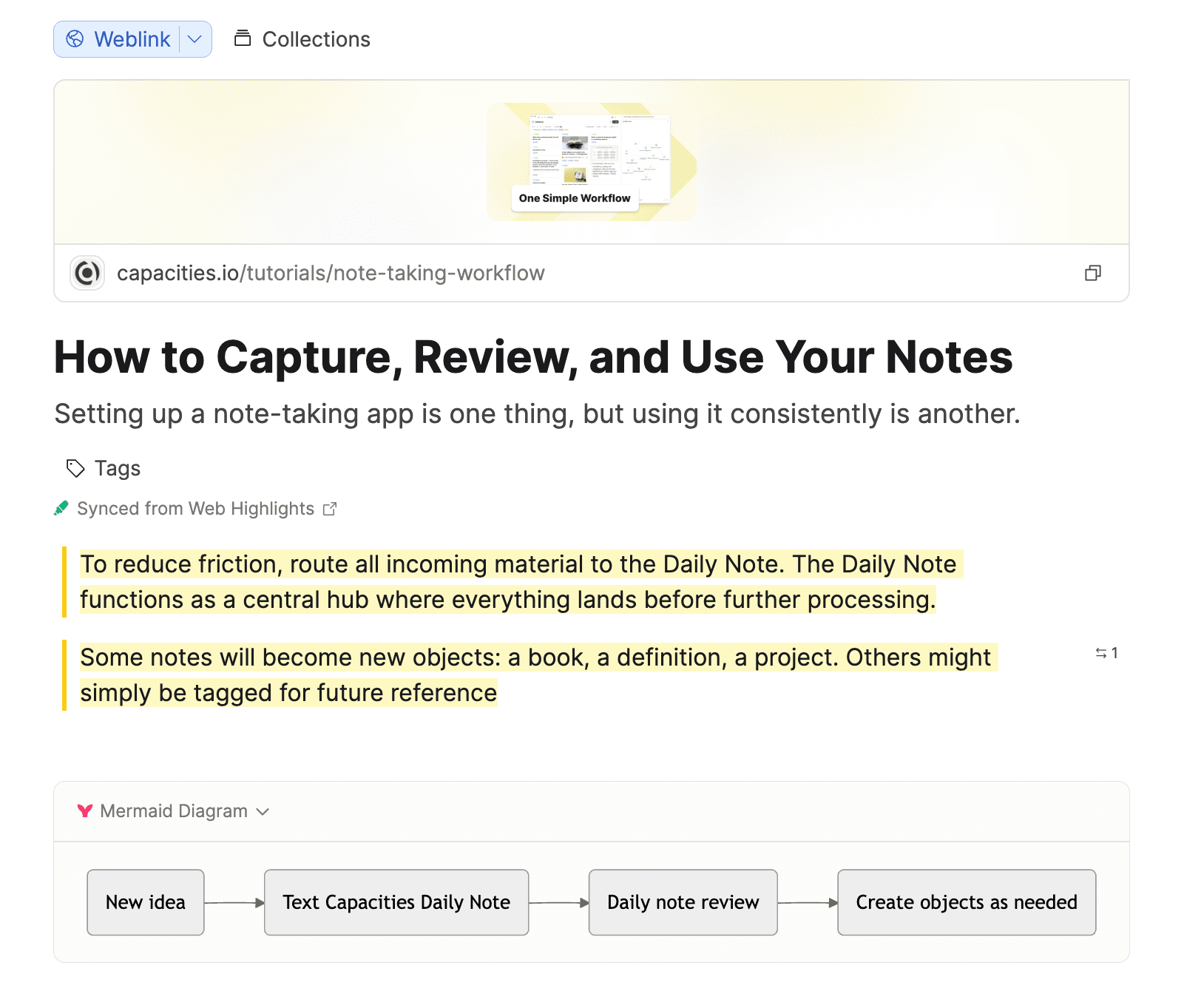
Write your diagram using Mermaid syntax and see it rendered in real-time.
Mermaid supports flowcharts, sequence diagrams, class diagrams, state diagrams, and much more.
Graph View Tag Network
You can now customize the graph view for tags to only show the tag network. In this view, it excludes all notes and only shows tags based on how they are related to each other.
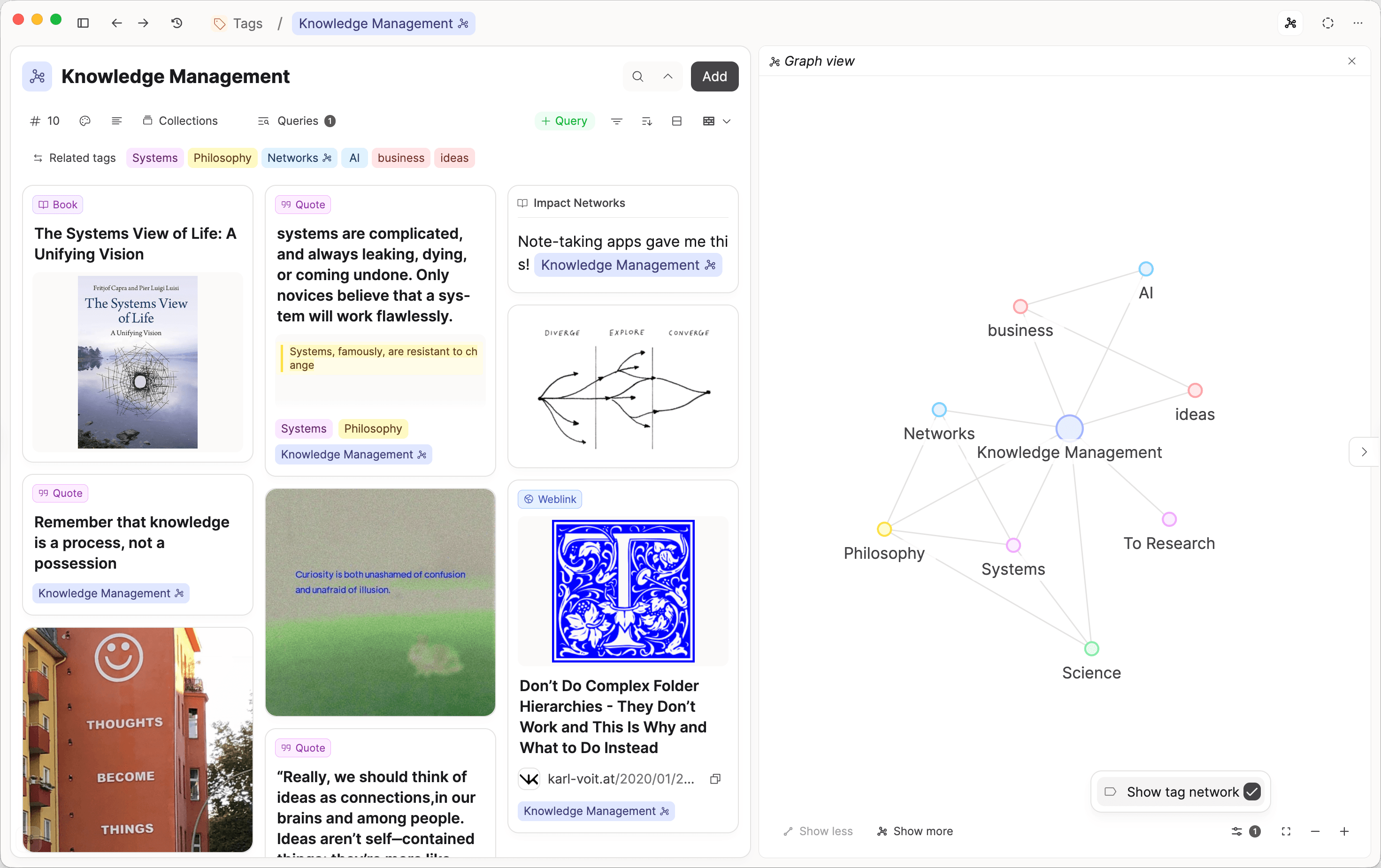
This is a great way to understand your tagging system and see how your topics connect. You can find this in the graph customization options. Feedback welcome!
Task Inbox Improvements
Task Inbox now only shows tasks with no date and no status: Tasks leave the inbox as soon as you apply a date or status. This allows for workflows like assigning tasks a status like "Some day" or "Deferred" to better work with the "Getting Things Done" methodology.
Capacities API: Breaking Change
We are reworking search in Capacities. This means the API will need to be adjusted as well. There are two changes:
POST /search: This endpoint will be deprecated on January 30, 2026. Please use the newPOST /lookupendpoint instead.POST /lookup: This endpoint is new and functions as a title-based search endpoint. The new endpoint has less functionality but is faster and more accurate.
You can find the updated API documentation here.
We collected feedback from the community about API use-cases. An extension of the existing API is planned.
Raycast Integration 2.0
An updated version of the Raycast integration went live today. It includes many improvements including:
- Offline support: The Raycast extension now communicates with the Capacities desktop app via a communication token. This means you can use the extension even if you're offline. Search is still via the server but it's planned to also be available offline in the future.
- Create Task: You can now create tasks in Capacities from Raycast.
- Search Details: The search results now show the details of the content in a more readable format.
- Better Open Behavior: "Open in App" as default action for opening content in Capacities, "Open in Browser" as fallback action.
Improvements and Fixes
✨ Improvements
- Filtering queries by context: You can select "Backlink objects" in the filter dropdown menus to filter for all objects that have a backlink (or context in case of tasks) to a set of other objects.
- Multiple Pinned Sections 🎉
- Create multiple custom pinned sections in the left sidebar
- Customize each with a name and icon
- Rearrange sections freely via drag-and-drop
- One-click option to sort items within a section alphabetically
- Add any object or object type to a custom pinned section using the "Pin to Space" menu option
- Make it possible to rename and delete all pinned sections: You can now rename and delete all pinned sections in the left sidebar.
- Display collections and queries under object types that are pinned to custom sections in the left sidebar.
- Improved Image Viewer (now cross-platform)
- Smooth zoom between 100% and 500% using mouse scroll, trackpad, or pinch gestures
- Drag zoomed images (>100%) with mouse, trackpad, or finger
- Embed Resizing Improvements
- Resizing an embed to full width now correctly syncs across devices
- Fixed detached resize handlers on image embeds
- Adjusted embed caption color for better visual distinction from regular text blocks
- "Hide dates" option in graph view: Declutter your graph by hiding daily notes.
- Better performance and reliability when filling properties with AI
- Better natural language processing for task titles. It now works better with mentions of "Wednesday", etc. It also works for dates in the past.
- Option to "Move to today" in today's calendar view to move overdue tasks to today.
- Tag menu focus behavior improved. Existing tags over other options.
- More items visible in linking dropdowns when no search term is entered
- All linking menus now have loading states so you know if all results are returned
- AI model Gemini Flash 3 added for Google AI Keys
🐛 Fixes
- Unable to search for the content when in the Object Dashboard. Ticket
- Tasks not showing on Today Screen. Ticket
- Copy and paste tasks deletes the title. Ticket
- Fixed an issue where tasks in the Context view wouldn't show their context group if all tasks shared the same context. Now the context name will always appear for better clarity. Ticket
- Corrected the due dates shown for scheduled tasks when sorted by date, resolving timezone related errors. Ticket
- Fixed Raycast search fails. Ticket
- Fixed Deleting Created Date doesn't really delete the data, remove this warning. Ticket
- Additional mobile stability improvements
- Resolved rerendering and flickering when navigating in the calendar
- Help chatbot window no longer cut off on mobile devices
- Restored autofocus functionality in AI chat
- Fixed various bugs related to pinned sections on mobile
- Potential fix for blank page issues on certain mobile devices
- Various fixes for media embed resizing
- Layout fix for task card view (prevented overflowing context properties)
- Mobile: "Remove" button now works correctly when clearing a task date
- Date picker in task management no longer closes unexpectedly when selecting a month
- Fixed inability to remove the first context added to a task
- Prevented completed (done) tasks from being accidentally moved to other status groups
- Fixed an issue where many objects were duplicated unexpectedly, causing problems with backlinks and data consistency. Ticket
- Resolved a critical bug that caused nearly all items in the database to be duplicated after the last release. Ticket
- Fixed a major problem in version 1.57.13 that caused most objects to appear in double and lose backlinks when duplicates were deleted. Ticket
- Addressed an issue where objects duplicated randomly across several different types. Ticket
- Fixed issue with temporary property creation in change type modal.
- Fixed search results to no longer show trashed items, keeping search results clean and relevant. Ticket
- Weblink images are not displayed - fixed.
- Web embeds are not working - fixed.
- Tweet embeds from X/Twitter are not working - fixed.